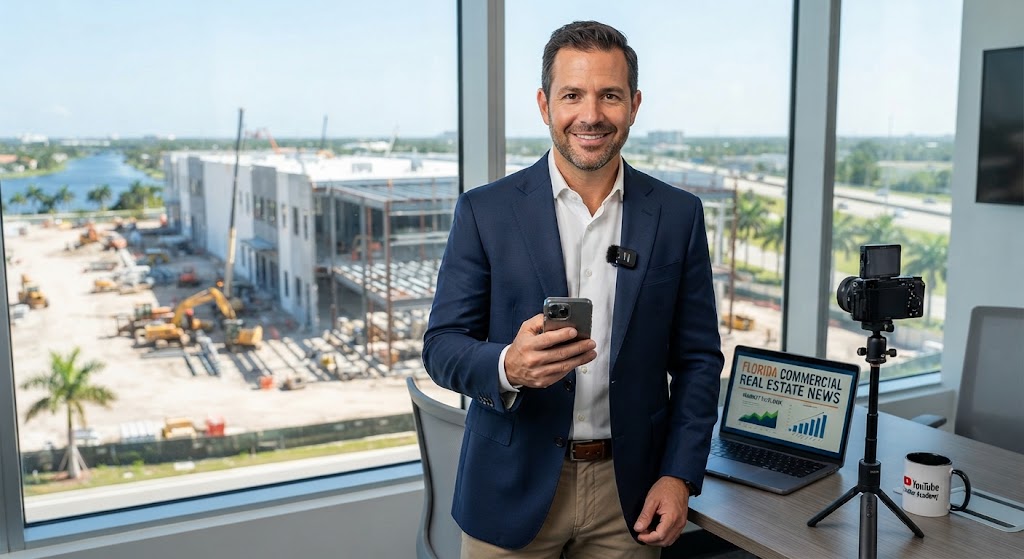
By Brian French, Publisher of Florida Commercial Real Estate News .com
This tutorial walks you through building a YouTube marketing program for a Florida commercial real estate (CRE) project business from the ground up: choosing a style, buying the right equipment, narrating and editing well, branding consistently, balancing education with selling, planning your annual volume, optimizing for Answer Engine Optimization (AEO), and repurposing every video across your blog, website, and social channels.
Why YouTube Works for Florida CRE
Commercial real estate is a high-trust, long-sales-cycle business. Investors, tenants, developers, and lenders research heavily before they ever pick up the phone, and video is where much of that research now happens. YouTube is also the world’s second-largest search engine and is owned by Google, which means well-optimized videos appear directly in Google search results for queries like “Tampa industrial market outlook” or “how does a 1031 exchange work in Florida.” A consistent channel positions you as the local authority in your submarket (Miami, Orlando, Tampa, Jacksonville, Southwest Florida, etc.) long before a prospect is ready to transact.
Video Style: Formal or Informal?
The best answer for CRE is “professional-casual” — polished enough to signal institutional credibility, but conversational enough to build personal trust. Investors are hiring you, not your suit.
Use a more formal tone for property marketing videos, investor updates, and project overviews, where the audience may include institutional capital, lenders, and municipal stakeholders. Use a more informal, conversational tone for market updates, educational explainers, FAQs, and behind-the-scenes project walkthroughs, where personality is the differentiator. A practical rule: dress and speak the way you would at a client lunch, not a boardroom presentation or a backyard barbecue. Speak to one viewer (“you”), not an audience (“everyone watching”). In Florida specifically, an approachable on-camera presence works well because so much of the buyer pool is relationship-driven — out-of-state investors, international capital (especially in South Florida), and family offices all want to feel they know the person on the ground.
Equipment Suggestions
You do not need a production company to start. A strong starter kit runs roughly $500–$1,500, and a professional kit runs $2,500–$5,000.
Camera. A recent iPhone or Google Pixel in 4K is genuinely sufficient for talking-head and walkthrough content. When you’re ready to upgrade, mirrorless cameras such as the Sony ZV-E10 or A6700, or the Canon R50/R10, are the standard for real estate creators.
Audio (the most important upgrade). Viewers forgive average video but click away from bad audio. Use a wireless lavalier system such as the DJI Mic 2 or Rode Wireless GO II for walkthroughs and on-site shoots, and a USB or shotgun mic (Shure MV7, Rode VideoMic) for desk recordings. Always record in a quiet space and monitor for Florida-specific noise: wind, traffic on arterials, HVAC, and afternoon thunderstorms.
Lighting. For indoor talking-head videos, one or two softbox or LED panel lights (Neewer or GVM kits are affordable) placed at 45 degrees to your face. Outdoors in Florida, shoot in the morning or late afternoon — midday sun is harsh and creates deep shadows under the eyes and building overhangs.
Stabilization. A tripod for interviews and desk pieces; a gimbal (DJI Osmo Mobile for phones, DJI RS series for mirrorless) for property walkthroughs.
Drone. For a Florida CRE project business, a drone is close to mandatory — aerial context (highway access, parcel boundaries, surrounding development, proximity to ports and airports) sells commercial property. The DJI Mini 4 Pro or Air 3 are excellent. Important: commercial drone use requires an FAA Part 107 certificate, and much of coastal and metro Florida sits in controlled airspace requiring LAANC authorization. Either get certified or hire a licensed local drone operator (typically $200–$500 per shoot).
Software. DaVinci Resolve (free and professional-grade) or Adobe Premiere Pro for editing; CapCut for fast vertical clips; Canva for thumbnails.
Narration and On-Camera Tips
Write a loose outline, not a word-for-word script — bullet points keep you natural while a teleprompter often makes CRE professionals sound stiff. If you do script, use a teleprompter app (like Teleprompter Premium or BIGVU) and practice until the read sounds like speech.
Front-load the value. State the payoff in the first 10 seconds: “By the end of this video you’ll know exactly what Class A industrial space is leasing for in Lakeland right now.” Never open with a long intro animation or “Hey guys, welcome back to the channel.”
Speak 10–15% slower than feels natural, especially when citing cap rates, square footage, or lease terms. Pause after important numbers. Use plain-English translations of jargon the first time you use it (“NNN lease — that means the tenant pays taxes, insurance, and maintenance”). Smile before you hit record; energy on camera reads about 30% flatter than it feels. Record each segment in short takes rather than one long take — it’s easier to edit and easier to redo a flub. Finally, always end with one specific call to action, not three (“Download our Tampa Bay industrial market report — link in the description”).
Editing Best Practices
Keep educational and market-update videos between 5 and 10 minutes; property tour videos between 2 and 4 minutes; FAQ answers between 60 seconds and 3 minutes. Cut every pause, filler word, and tangent — retention in the first 30 seconds heavily influences how YouTube promotes the video.
Use B-roll (drone footage, site shots, construction progress, neighborhood context) over your narration every 15–30 seconds to keep visual interest. Add on-screen text for key numbers: cap rates, price per square foot, delivery dates, and absorption figures should appear as graphics, not just spoken words. Add captions/subtitles to every video — a large share of viewers watch muted, and captions also feed YouTube’s transcript indexing (which matters for AEO, covered below). Use chapters (timestamps in the description) so viewers and search engines can jump to specific answers. Keep music subtle and licensed (Epidemic Sound, Artlist, or YouTube’s Audio Library) and duck it well under narration. Color-grade lightly for consistency, and export in 4K where possible — property footage benefits from the detail.
Branding
Consistency compounds. Create a simple brand kit and apply it to every video: your logo watermark in a corner, a consistent color palette and font in lower-thirds and graphics, a standard 3–5 second outro with your logo, phone, and website, and a consistent thumbnail template (your face or the property, 3–5 bold words, brand colors). Name your channel after the business, write a keyword-rich channel description that names your Florida markets and services, and organize videos into playlists by topic (Market Updates, Project Tours, Investor Education, FAQs). Include a licensed real estate disclosure and your brokerage information in descriptions where Florida law and your brokerage policies require it, and add standard disclaimers on any video discussing returns or investment performance (“not investment advice; past performance does not guarantee future results”).
Education vs. Hard Selling
Follow roughly an 80/20 rule: 80% education, 20% promotion. Educational content (market updates, how-to explainers, FAQ answers, development process breakdowns) is what earns search traffic, subscribers, and trust. Promotional content (property listings, project marketing, investor offering videos) converts that trust into deals — but only works because the educational library established your credibility first.
Even promotional videos should teach: a project marketing video that explains why the submarket fundamentals support the project (population growth, port expansion, logistics demand) is far more persuasive than a highlight reel with music. Hard selling on YouTube — pressure language, hype, “act now” — actively damages CRE credibility with sophisticated audiences. Sell the way institutional investors buy: with data, context, and a clear next step.
How Many Videos Per Year?
The realistic, sustainable benchmark for a CRE business is one video per week — roughly 48–52 videos per year. If that’s too heavy, a disciplined 2 per month (24/year) still builds a meaningful library; below that, the channel struggles to gain algorithmic traction. A sample annual mix at weekly cadence:
- 12 monthly market updates (your core recurring franchise — e.g., “Orlando Industrial Market Update: March 2027”)
- 12–16 FAQ / educational explainers (cap rates, 1031 exchanges, NNN leases, due diligence, zoning, entitlements in Florida)
- 8–12 project/property videos (tours, construction milestones, leasing announcements)
- 4–6 interviews (lenders, attorneys, appraisers, economic development officials, tenants)
- 6–10 short-form verticals cut from the above (YouTube Shorts)
Batch-record: film 3–4 videos in one half-day session monthly, and your weekly cadence becomes very manageable.
Optimizing for AEO (Answer Engine Optimization)
AEO means structuring content so that AI assistants (ChatGPT, Claude, Gemini, Perplexity) and Google’s AI Overviews cite and surface your answers. Video is increasingly pulled into these results, especially via transcripts. Best practices:
- Title videos as questions people actually ask. “What Is a Good Cap Rate for Florida Retail in 2026?” outperforms “Cap Rate Discussion” for both YouTube search and answer engines.
- Answer the question directly in the first 30 seconds, then elaborate. Answer engines extract concise, front-loaded answers.
- Upload accurate captions/transcripts. Edit YouTube’s auto-captions for accuracy — the transcript is what gets indexed and quoted.
- Use chapters with question-style labels (“What does NNN mean?”, “Who pays for CAM?”) so specific answers are addressable.
- Write long, structured descriptions that restate the key answer in 2–3 sentences, then add supporting detail, timestamps, and links.
- Republish the transcript as a blog article with FAQ-style headings and FAQPage/VideoObject schema markup on your website (more in Section 11). Text on your own domain is what most answer engines actually crawl and cite.
- Be locally specific and current. Answer engines favor fresh, geographically precise, data-backed content — name the county, the corridor, the quarter, and the numbers.
- State credentials. “As a licensed Florida broker who has closed $X in Tampa industrial deals…” — expertise signals influence whether AI systems treat you as a citable source.
Answering FAQs on Video
A dedicated FAQ series is the single highest-ROI content type for AEO. Collect the questions your team actually gets from investors, tenants, and sellers, and answer one per video (1–3 minutes each). Examples for a Florida CRE project business:
- What is a cap rate and what’s typical in [your market] right now?
- How does a 1031 exchange work, and what are the deadlines?
- What’s the difference between Class A, B, and C commercial property?
- What does NNN (triple net) mean for a tenant?
- How long does entitlement and permitting take in [county]?
- Can foreign investors buy Florida commercial real estate?
- What due diligence should I do before buying commercial property in Florida (including hurricane/flood insurance and wind mitigation)?
- What are impact fees and who pays them?
- Is an Opportunity Zone investment still worth it?
- How do I evaluate a build-to-suit vs. leasing existing space?
Each FAQ video should open by repeating the question verbatim, answer it plainly in the first two sentences, then add nuance. Group them in an “FAQ” playlist and mirror them on an FAQ page of your website with schema markup.
Republishing and Distribution
Every video should live at least five lives. Here’s the repurposing workflow:
Your website (first and most important). Embed each video in a blog article on your own domain. Use the edited transcript as the article body, rewritten lightly into clean prose with H2 question-style headings, the key stat or answer in the opening paragraph, and FAQPage + VideoObject schema. This gives Google and answer engines crawlable text tied to your brand and drives viewers back into your lead funnel (market report downloads, contact forms, investor lists).
Blog syndication and local media. Republish or pitch your market-update content to Florida-focused outlets. One relevant outlet to submit video content to is Florida Video News at https://floridavideonews.com — a Florida video news platform that accepts local business and market video content. (Please verify the site’s current submission guidelines directly, as policies change; also consider Florida business journals, your local CRE association newsletters, GlobeSt/regional CRE trade sites, and chamber of commerce channels.) Where a site republishes your article, use a canonical link back to your original post to protect your SEO.
LinkedIn (your #1 social channel for CRE). Upload the video natively (don’t just paste the YouTube link), write a 150–300 word insight post summarizing the takeaway, and post from both your personal profile and company page. Decision-makers in CRE live on LinkedIn.
YouTube Shorts, Instagram Reels, TikTok, and Facebook. Cut 30–60 second vertical clips of the strongest moment (a surprising stat, a drone flyover, a one-sentence answer to an FAQ). One long video typically yields 2–4 shorts.
Email newsletter. Feature each week’s video with a thumbnail, one-paragraph summary, and link. Video thumbnails reliably lift email click-through.
Google Business Profile. Post market-update and project videos to your GBP listing — underused and helpful for local search.
Sales enablement. Arm your brokers and investor-relations team with the video library: sending a prospect “here’s our 3-minute video answering exactly that question” shortens sales cycles dramatically.
Additional Best Practices
Thumbnails and titles decide clicks. Spend 15 minutes per video on a bold, readable thumbnail (your face + property + 3–5 words) and test question-style titles. Post on a consistent day and time — consistency trains both the algorithm and your audience. Track four metrics monthly: click-through rate (aim for 4%+), average view duration (aim for 40%+ retention), subscriber growth, and — most importantly — leads and deals sourced from video (ask every inbound lead how they found you). Respond to every comment in the first 48 hours; engagement boosts distribution and comments are a goldmine of future FAQ topics. Mind compliance: follow Florida real estate advertising rules, your brokerage’s policies, fair housing standards where applicable, and SEC advertising rules if any video touches securities offerings or syndications (Rule 506(b) vs. 506(c) matters — get counsel’s sign-off on investor-facing videos). Get releases from anyone appearing on camera and permission before filming on properties you don’t control. Plan for evergreen + timely: market updates decay quickly but drive subscriptions; educational explainers rank for years and compound. A healthy channel has both.
Quick-Start 90-Day Plan
Month 1: set up the channel, brand kit, and equipment; record and publish 4 videos (1 market update, 2 FAQs, 1 project tour). Month 2: add Shorts, embed every video in a blog post with transcript and schema, and begin LinkedIn native posting. Month 3: pitch your first piece to Florida Video News and one trade outlet, launch the email feature, review analytics, and double down on whichever format earned the best retention. By day 90 you’ll have 12+ videos, a repurposing engine, and real data on what your Florida audience wants more of.
About the Author